Bouzopp opening lab Current screen

Six ways to open a booster

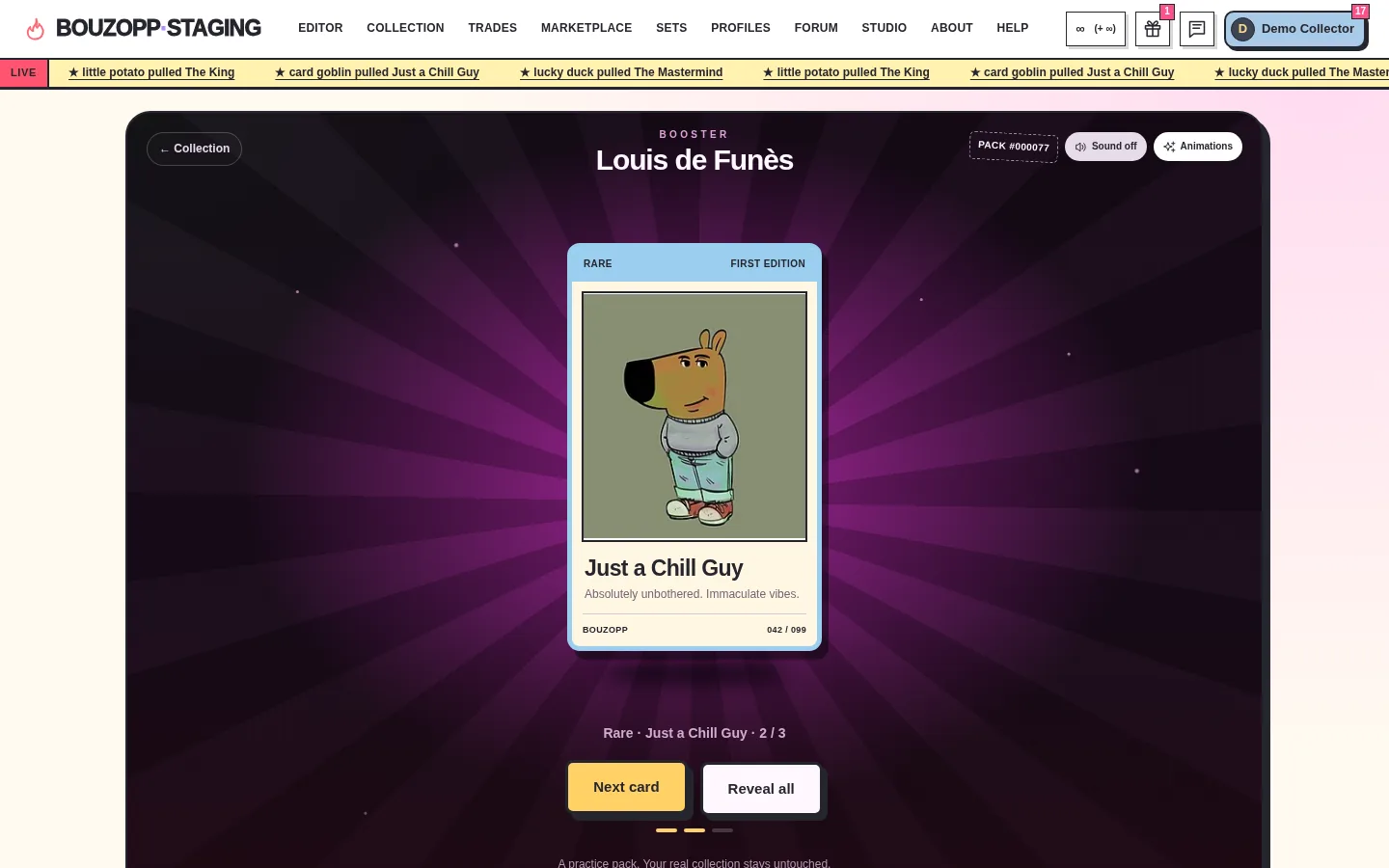
The same screen rebuilt six times, each around one bet about what makes opening a pack feel good. Every variant plays the whole flow with the same fake data: three boosters, three cards, sound and animation controls. Open one, finish a booster on a laptop and on a phone, then decide what to keep.

Current screen on desktop: dark purple stage with a revealed Rare card under a ten-item navigation and a live ticker.
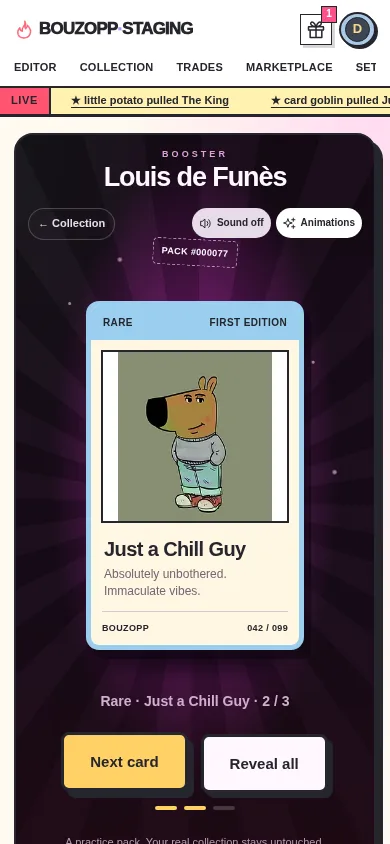
Current screen on a phone.

What the current screen gets wrong

Chrome
Ten nav links, a balance, gifts, messages, a profile and a live ticker sit above the one thing this page is for.
Rarity impact
One click tears the pack, and a Legendary arrives exactly like a Common.
Clicks
Seven clicks, in a fixed order, to see three cards.
Other boosters
Hidden behind a toggle, below the fold.
Ending
The summary shows the cards and stops. Nothing says what to do next.
Gifting
A text link about the whole pack, shown before you know what is inside.
Phone reach
The main button sits mid-screen; the header takes the first 120px.

Which problem each variant goes after

the variant's main bet also improved

VariantChromeRarity impactClicksOther boostersEndingGiftingPhone reachActions per booster
Spotlight7 or 1 with skip
Card table4 or 2 with Flip all
Pocket7 or 1 with Reveal all
Binder4 or 1; one click opens all
Capsule machine10 or 2 with Empty
Messenger4 or 2 with Reveal all

Spotlight

Suspense is the product. No chrome at all; you build the tension with your own hand, and the light warns you what is coming.
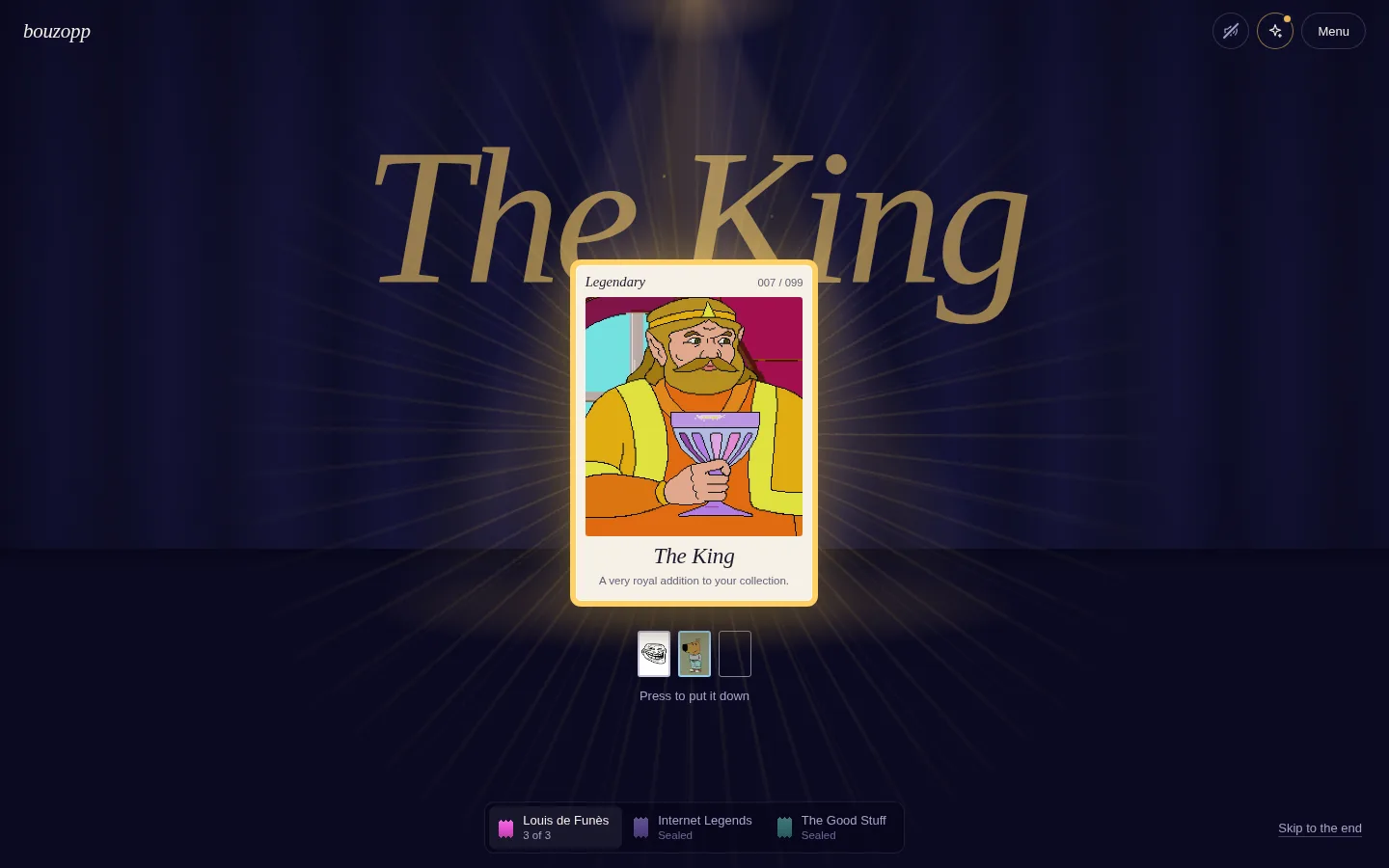
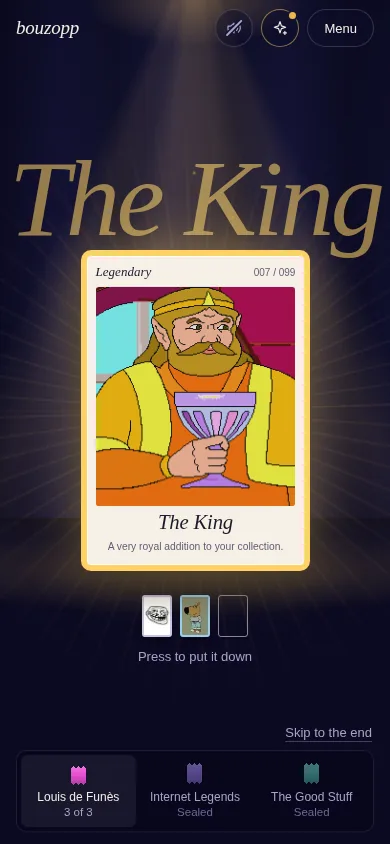
Spotlight: The King revealed under a gold beam, its name written huge behind the card.
Spotlight on a phone.

How it plays

  • Press and hold the pack for about a second: a gold ring fills, the pack trembles harder, the room dims. Let go early and it relaxes.
  • Before each flip the beam narrows and takes the rarity's colour: brief cool white for a Common, two blue pulses for a Rare, darkness, gold rays and a long wait for a Legendary.
  • The revealed card's name appears behind it in enormous italic type.
  • A dock at the bottom switches boosters; the next pack peeks in from the right at the end.

Worth keeping

  • Rarity foreshadowing: a short tinted glow before the flip costs almost nothing and makes a Legendary unmistakable.
  • The giant name behind the card, as the moment you would screenshot.

Watch out

  • Seven actions per booster, on purpose. Holding is lovely the first time; test it on someone opening their twentieth pack.
Open Spotlight

Card table

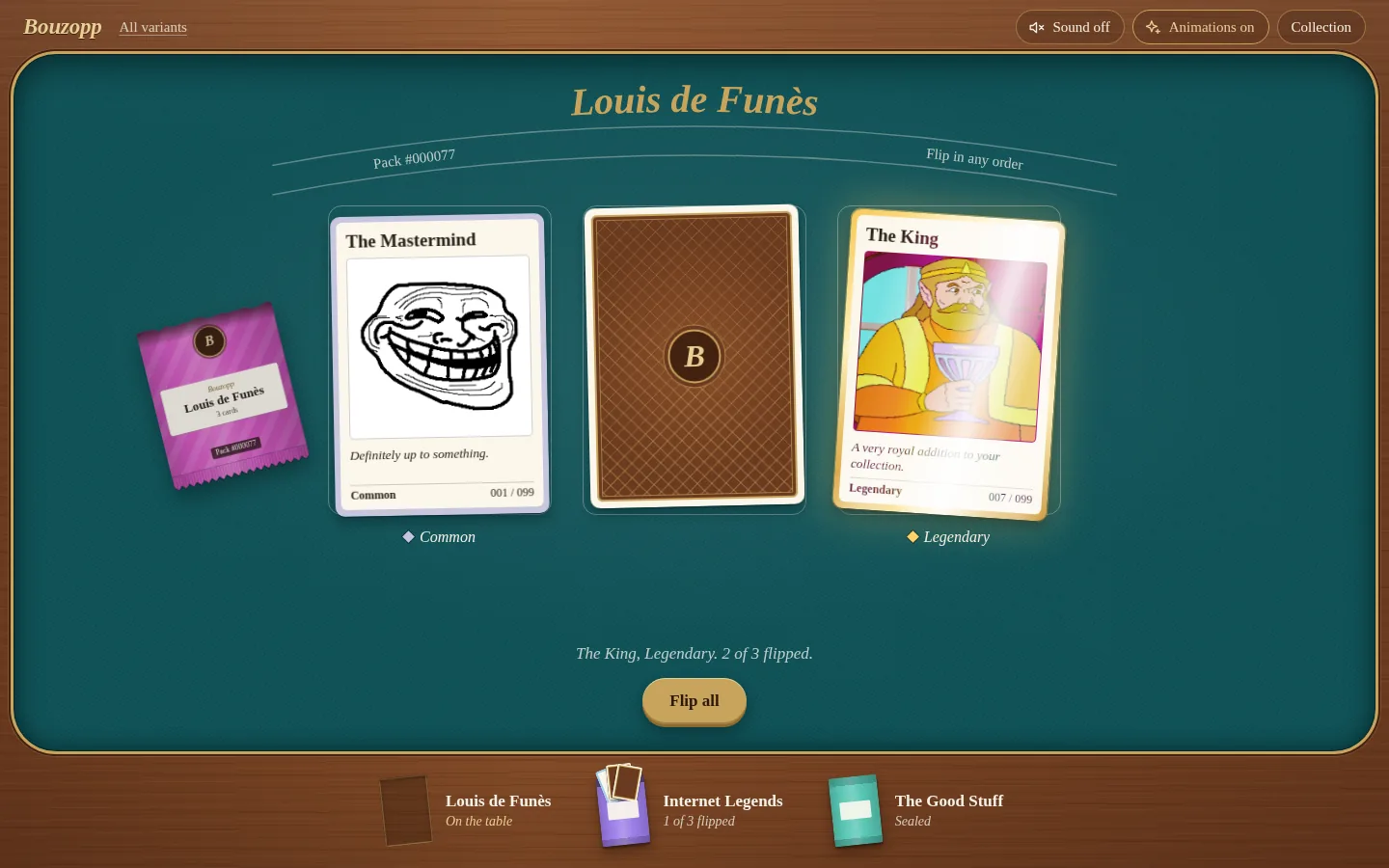
Agency beats a forced sequence. Deal the whole hand face down, flip in any order, and let the table itself be the summary.

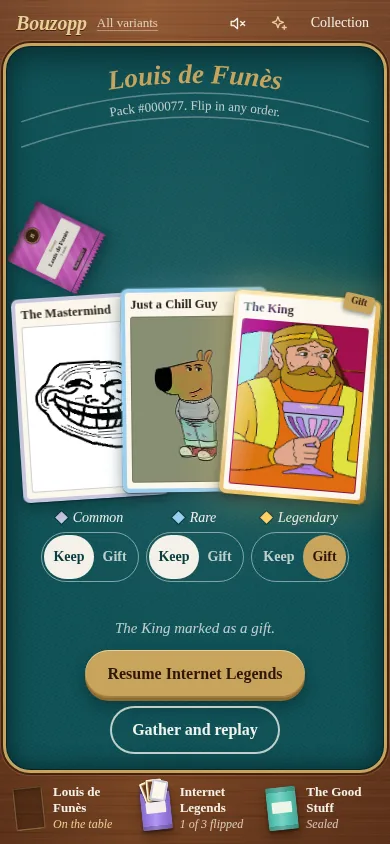
Card table: three cards dealt on teal felt, two flipped, the torn pack beside them and other boosters on the wooden rail.
Card table on a phone, with Keep and Gift under each card.

How it plays

  • Drag along the pack's dotted strip to tear it, or just press it.
  • Three cards are dealt face down. Flip any of them; a Legendary gets a holographic foil sweep.
  • Once all three are up, each card has its own Keep or Gift choice.
  • The other boosters rest on the wooden rail with their state, and come back exactly as you left them.

Worth keeping

  • Gifting as a per-card decision taken after seeing the card, instead of a pack-level link before opening.
  • No separate summary screen: what you pulled stays on the table, with "Open Internet Legends" right under it.

Watch out

  • On a phone the three cards overlap; the middle one shows about 52px until you bring it forward.
Open Card table

Pocket

Openings happen on a phone, with one thumb. Every action sits in the thumb zone and gestures replace buttons; desktop is the same parts reflowed.

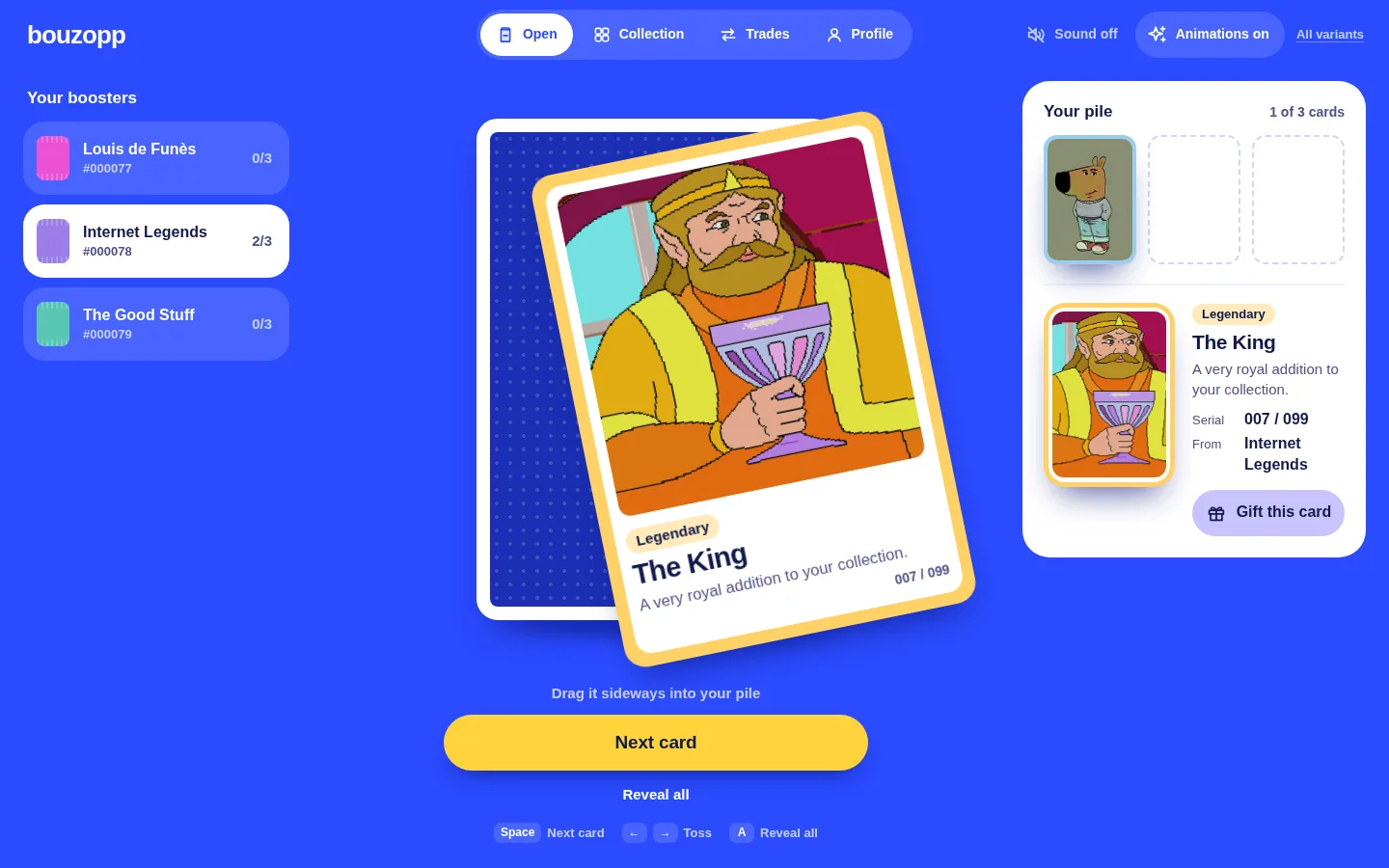
Pocket on desktop: boosters on the left, the card stack in the middle, the pile of revealed cards on the right.
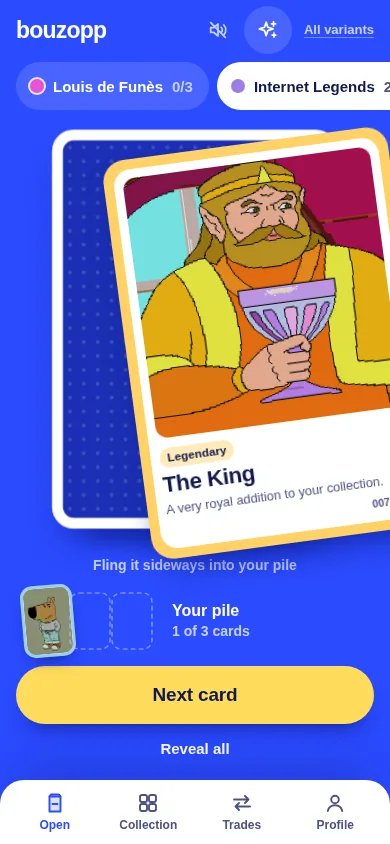
Pocket on a phone: booster chips at the top, the card stack, and the main action above a four-tab bar.

How it plays

  • Swipe the pack up to tear it. Tap the top card to flip it (its rarity colour leaks round the edges as you lift it), then fling it sideways onto your pile.
  • One big button at the bottom always names the next step; arrow keys and Space do the same on desktop.
  • Booster chips at the top show each booster's progress and switch with one tap.
  • A four-tab bar replaces the ten-link navigation.

Worth keeping

  • The thumb-zone action bar and one-tap booster chips: the cheapest big win for phones.
  • The ending names the next unopened booster as its main button.

Watch out

  • Gestures have to be discovered: a first tap only nudges the card to teach the swipe. Tested with emulated touch, not yet on a real phone.
Open Pocket

Binder

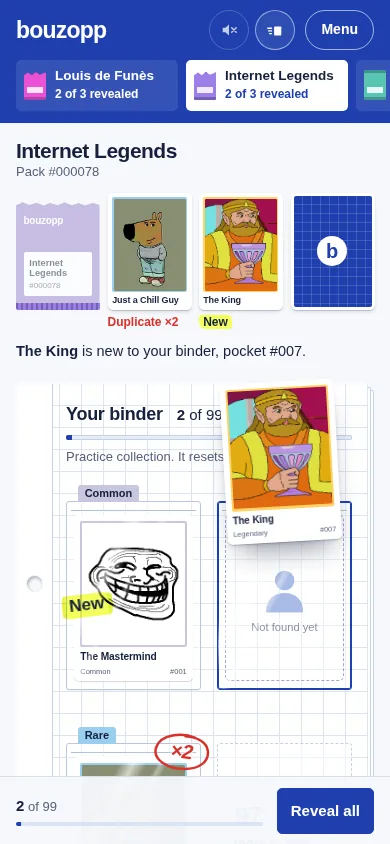
A pull only matters relative to your collection. Every revealed card flies into its binder pocket and is labelled new or duplicate.

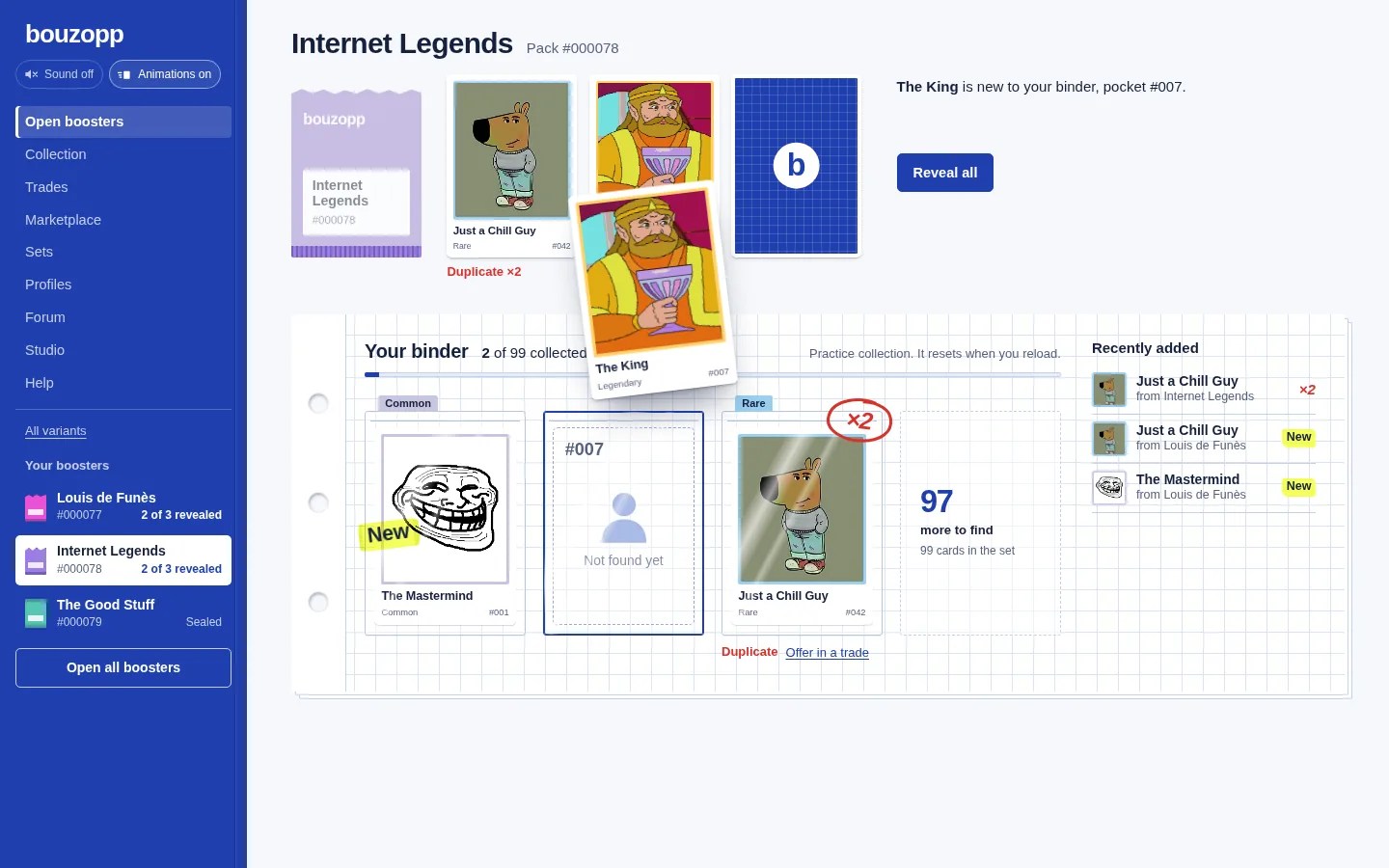
Binder: a card flying from the opening strip into its pocket on a graph-paper binder page, with New and ×2 marks.
Binder on a phone, with the set progress and Reveal all in a bottom dock.

How it plays

  • The sidebar holds the navigation and every booster with its status; "Open all boosters" opens them all in one go.
  • Tear the pack, then reveal cards in any order, or all at once.
  • Each card flies into its pocket: a first copy gets a highlighter "New", later copies a red "×2" and an "Offer in a trade" link.
  • The strip ends with a sentence like "1 new card, 2 duplicates" and the next booster.

Worth keeping

  • New versus duplicate on every pull, and set progress ("3 of 99 collected"): it gives the twentieth pack a reason to exist.
  • A calm, vertical home for the ten-link navigation.

Watch out

  • It reads as a tool more than a moment. On a phone the lower pockets sit below the fold, so some cards fly off screen.
Open Binder

Capsule machine

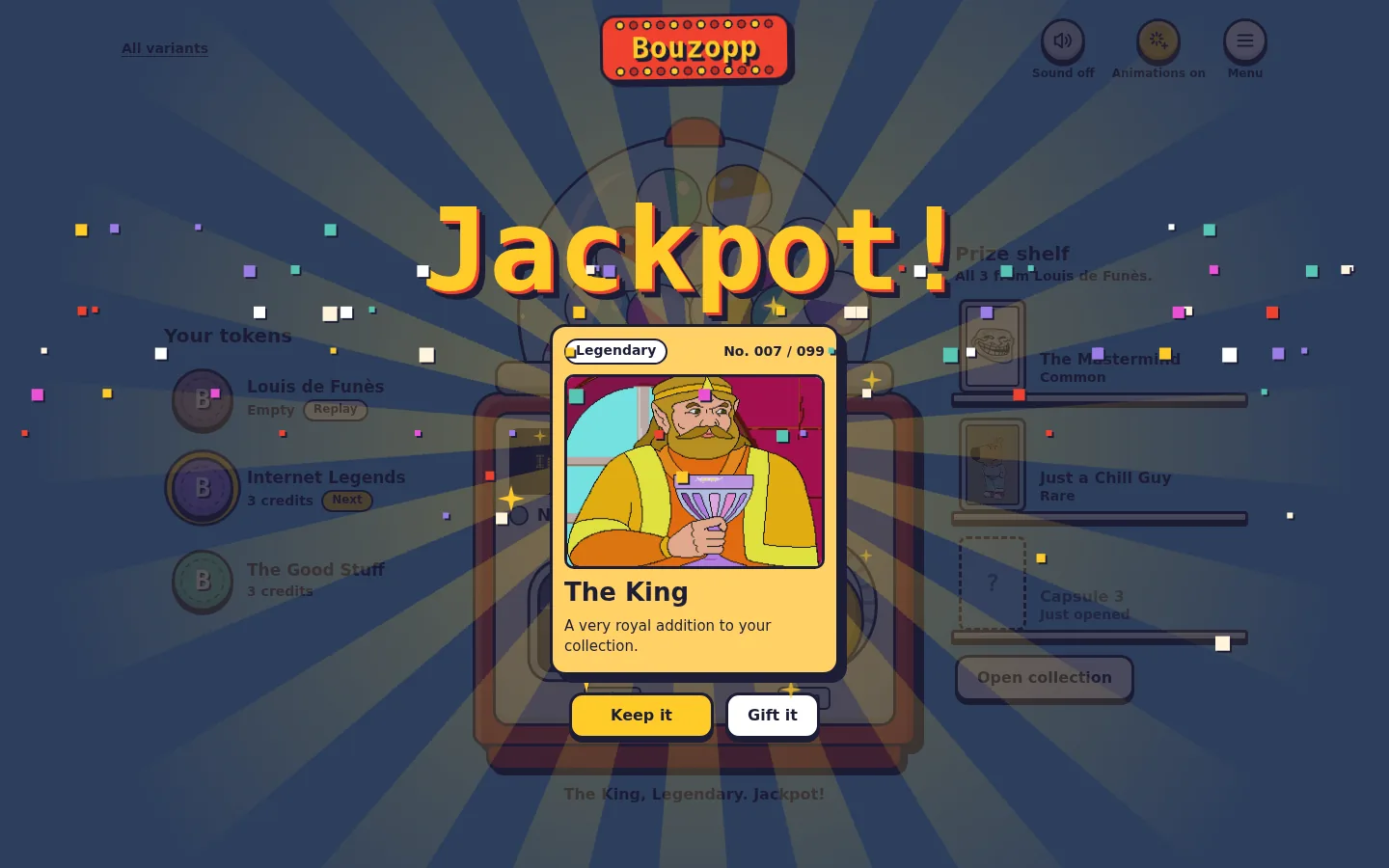
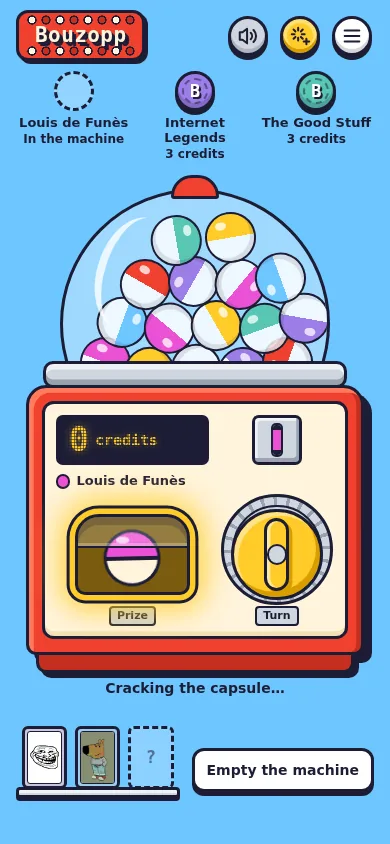
A physical toy and generous feedback make every pull feel like a win, and the celebration grows with rarity.

Capsule machine: 'Jackpot!' over The King, confetti and radiating rays above the red gacha machine.
Capsule machine on a phone: tokens on top, the machine with its crank, the prize shelf below.

How it plays

  • A booster is a token: insert it and the machine shows 3 credits.
  • Turn the crank by dragging it round, clicking it or pressing Space; a capsule drops into the tray.
  • Crack it: "Got it!" for a Common, sparkles for a Rare, and for a Legendary "Jackpot!", a screen shake, wild marquee lights and confetti.
  • Rare capsules rattle and glow in the tray before you crack them.

Worth keeping

  • Feedback scaled to rarity: Commons stay quick, Legendaries get the fireworks.
  • Boosters as tokens you can see and pick, each keeping its own progress.

Watch out

  • Ten actions per booster. Great as an event or a promotion, heavy as the everyday way to open packs.
Open Capsule machine

Messenger

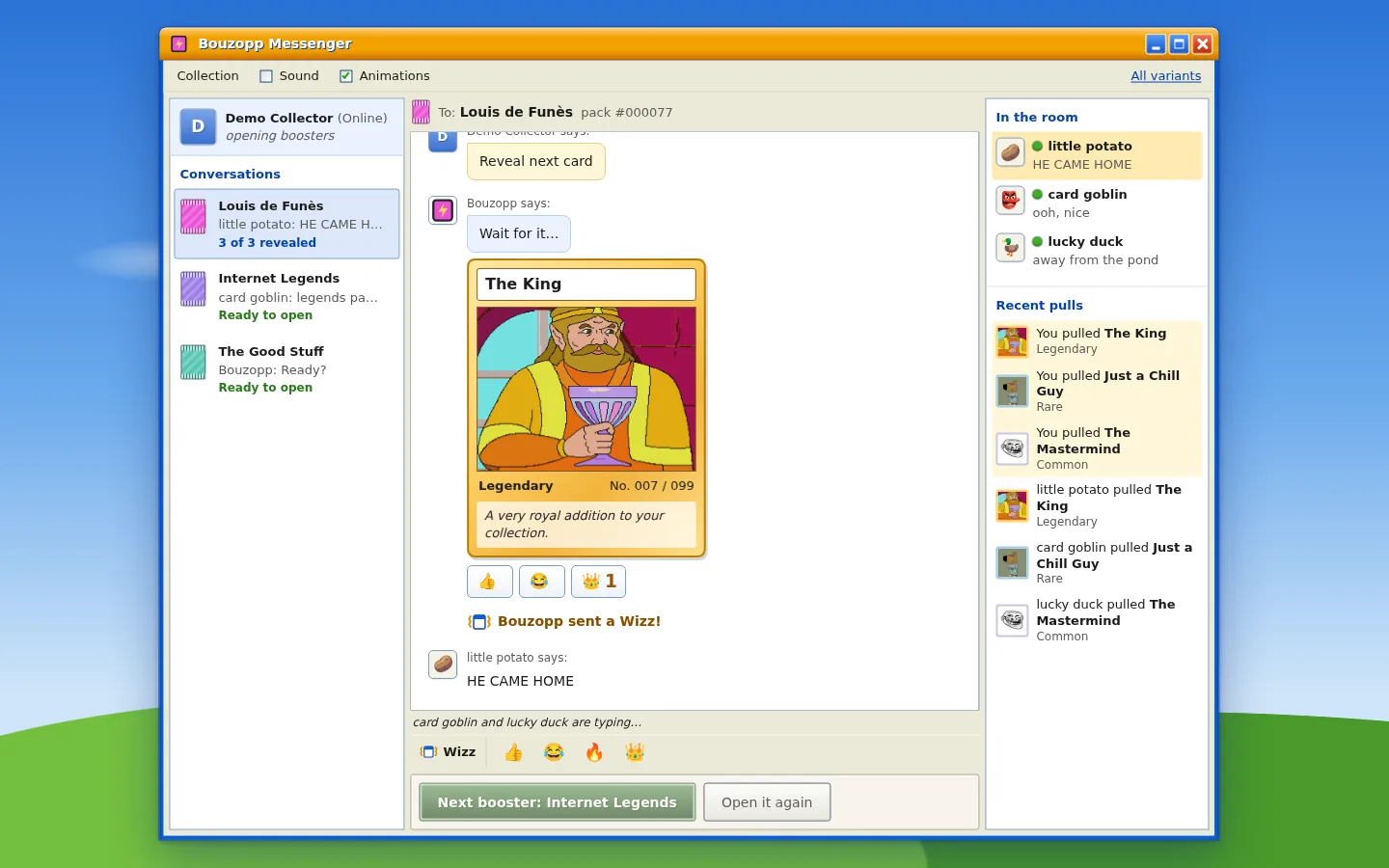
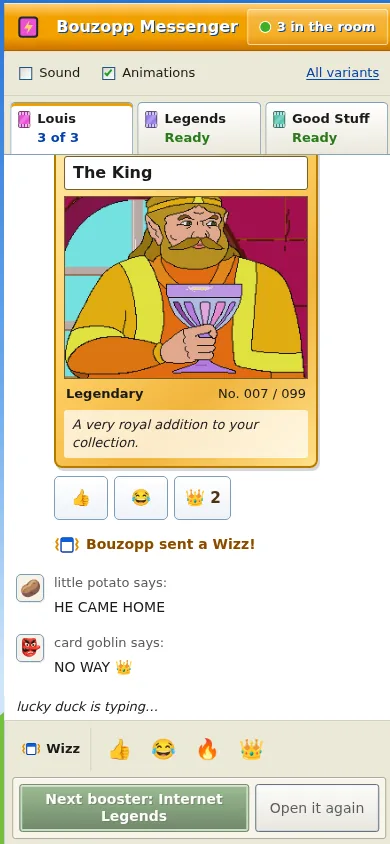
Openings are social moments. The flow becomes a conversation with a host, the room reacts to each pull, and each booster is a thread that remembers where you left off.

Messenger: a 2000s instant-messenger window, The King revealed in the chat, collectors reacting on the right.
Messenger on a phone: thread tabs on top, the chat, quick replies at the bottom.

How it plays

  • Each booster is a conversation thread with its own history and progress.
  • Quick replies drive the flow: "Tear it open", "Reveal next card", "Reveal all". You can also tap any face-down card in the chat.
  • Collectors in the room type and react after each reveal; a Legendary triggers "Wait for it…", then a Wizz that shakes the whole window.
  • The host sums up the pack and offers the next booster.

Worth keeping

  • Reactions as a light layer after a reveal, and your own pulls feeding the "Recent pulls" list.
  • The Wizz as a reserved, Legendary-only moment.

Watch out

  • The crowd is scripted. With real people it could be great; with fake ones it wears thin quickly.
Open Messenger

What I would carry into the real screen

  1. Deal the hand, flip in any order. Card table, Binder and Messenger each arrived at it separately. It takes a booster from seven clicks to four, or two with Reveal all.
  2. Make rarity land before and after the flip. A short tinted glow before (Spotlight, Binder) and a payoff sized to the card after (Capsule machine's jackpot, Messenger's Wizz). Commons stay fast.
  3. Say whether each card is new or a duplicate, with set progress, as Binder does.
  4. End on the next booster, named. "Open Internet Legends" beats a summary that just stops.
  5. Keep every booster visible with its state, as chips, a rail or a dock, never behind a toggle.
  6. Move gifting to each card, after the flip, as Card table does.
  7. Clear the stage. On phones a four-tab bar with the action in the thumb zone (Pocket); on desktop a sidebar (Binder). Drop the ticker from this screen.

Open questions to test with collectors